
(Manus) Alternative
Your Work Should Outlive Any AI Agent
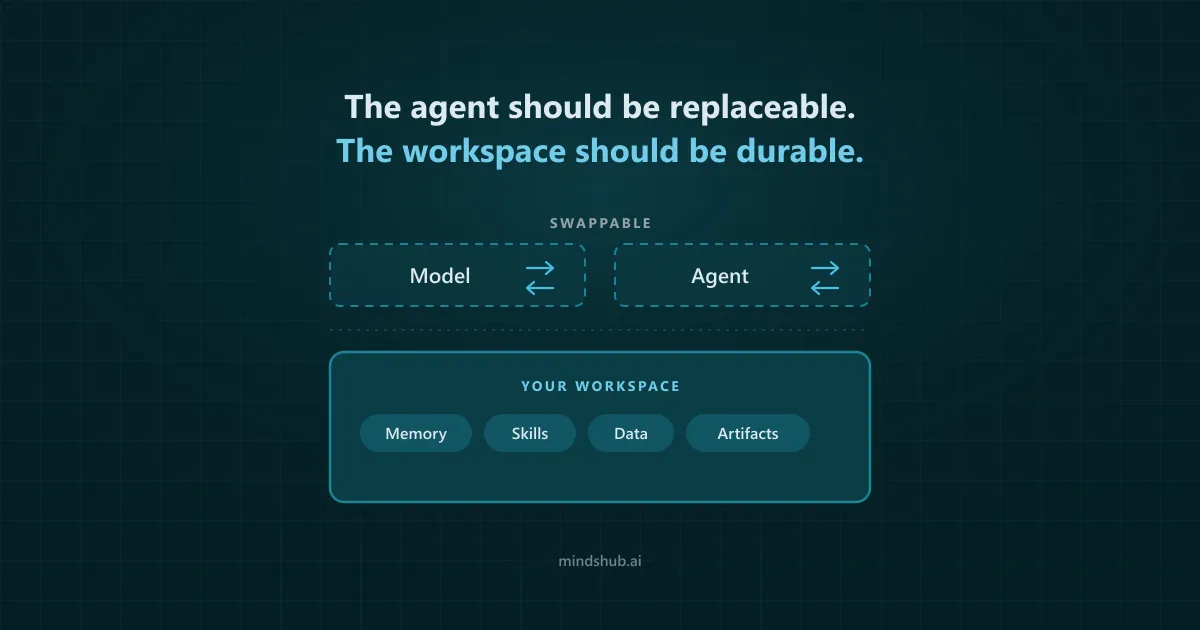
Manus is being pulled back into China’s orbit. But the bigger issue is universal: can your data, context, skills, automations, and artifacts survive a change in agent, model, vendor, ownership, or infrastructure?
Meta bought Manus. Beijing forced the deal apart. Users got a deadline.
Meta acquired Manus for more than $2 billion in December 2025. Four months later, Chinese regulators ordered the parties to withdraw from the acquisition. On August 11, Manus told users it would return to independent operation.
The corporate separation is not staying inside the boardroom. In a note to its users, Manus says data generated by certain users on or after December 29, 2025 will be deleted during August 23–24, 2026, Singapore time. Affected users have been instructed to back up their data before the window closes and restore it when the restoration portal opens.
Manus is being pulled back into China’s orbit. Not because its Singapore headquarters disappeared overnight, and not because every detail of its future ownership is settled. The phrase describes the direction of power: Beijing forced a U.S. owner to unwind the deal, while former Chinese backers are reportedly assembling the route back to independence. The Financial Times reported that Tencent could become the largest, but still minority, shareholder, with Manus continuing to operate independently from Singapore.
For U.S. users, the point is not abstract geopolitics. A regulatory fight between Beijing and an American technology company has created a data-continuity event inside a product people use to research, build, analyze, automate, and publish work.
Manus users did not choose the acquisition. They did not choose the forced unwind. Yet some of them now have to back up, restore, and verify their work because of it.
Your AI provider may change. Your preferred model may change. The agent may change. Your work should not have to start over when they do.
The Manus episode is unusually dramatic, but the underlying risk is ordinary. Companies are acquired. Regulations change. Models are retired. Prices rise. APIs break. Products shift strategy. Features are deprecated. The right question is not whether your next AI vendor is immune to change - none is. The right question is whether your workspace is designed to absorb it.
First: protect the Manus work you already have
Choosing an alternative comes second. Preserving your existing work comes first.
Do not assume the official backup is the same thing as a vendor-neutral export. It is designed to restore data into Manus. Your own standard-format copies are what give you an independent record of the work.
You are not migrating an agent. You are migrating a workspace.
People often describe switching AI products as “moving to another agent.” That understates what is actually at stake.
An agent is the execution layer. The value you accumulate around it is the workspace: the context, data, permissions, reusable behavior, artifacts, and operational machinery that make the agent useful for your work.
What belongs in the migration inventory:
- Outputs and artifacts. Documents, presentations, spreadsheets, research reports, dashboards, images, websites, applications, code, and datasets.
- Task history. The original request, follow-up instructions, corrections, decisions, source trails, and the reasoning behind accepted results.
- Project context. Brand rules, terminology, examples, goals, audience definitions, preferences, and project-specific constraints.
- Memory. Facts and preferences the system has learned across sessions, especially the pieces you no longer think to restate.
- Skills and reusable workflows. Prompts, templates, scripts, standard operating procedures, packaged skills, and quality-control routines.
- Data connections and permissions. Databases, SaaS applications, files, email, calendars, CRM systems, APIs, and the authorization scopes attached to each.
- Automations and schedules. Recurring reports, monitoring jobs, triggers, webhooks, notifications, and other work that continues after the chat ends.
- Operational dependencies. Hosting, runtimes, environment variables, secrets, databases, domains, local folders, and third-party services needed to keep the result working.
A downloaded report preserves an output. It does not necessarily preserve the process, context, data access, and scheduled work that produced it.
The AI workspace migration checklist
This checklist is useful whether you move from Manus to MindsHub Cowork, to another commercial product, or to a stack you operate yourself.
- Inventory by business impact. List active projects, recurring workflows, connected systems, hosted assets, and important historical work. Mark each item as critical, useful, or disposable. Migrate the critical layer first.
- Export in standard formats. Keep important outputs in formats that open without the original product: Markdown or plain text for instructions, CSV or XLSX for structured data, DOCX or PDF for documents, PPTX for presentations, and source code plus configuration files for applications.
- Capture the recipe, not only the result. For every recurring workflow, document the input, instructions, data sources, tools, decision rules, review steps, expected output, and common corrections. This is what lets another system reproduce the work.
- Map every connection and permission. Record what each workflow can read or change. Revoke stale authorizations, rotate product-specific credentials when appropriate, and give the replacement workspace only the access it needs.
- Package reusable behavior. Export or rewrite skills, templates, prompts, scripts, and procedures in a form that humans can inspect. A workflow that exists only as hidden platform state is not truly portable.
- Recover operational dependencies. For hosted websites, apps, and scheduled work, record domains, databases, environment variables, webhooks, runtime requirements, and ownership of every external service.
- Rebuild one representative workflow. Do not migrate everything at once. Choose a real workflow that is important, repeatable, and easy to evaluate. Recreate it in the candidate workspace with the same inputs and acceptance criteria.
- Run both systems in parallel. Keep the original workflow available until the replacement has completed several real runs. Compare output quality, time, cost, reliability, source traceability, editability, and human review effort.
- Perform an exit test before you commit. Ask how you would leave the new workspace. Export one artifact, one skill, one workflow definition, and the relevant context. The time to test portability is before the next disruption.
What makes an AI workspace durable?
Once the inventory is clear, feature comparisons become more useful. The question is no longer “which agent can make a presentation?” It becomes “which parts of my working system remain usable when the agent, model, or vendor changes?”
- Can I replace the model? Model quality, policy, cost, latency, and availability change quickly. A durable workspace should not force a complete rebuild when the preferred model changes.
- Can I replace the agent or harness? The planning and tool-use layer should be a component, not necessarily the permanent owner of all context, data, and artifacts.
- Can I inspect and edit the accumulated context? Memory, skills, project instructions, and workflow logic should be visible enough to correct, version, and transfer.
- Can I choose where it runs? Hosted convenience matters, but local, VPC, on-premises, or other controlled deployment options reduce dependence on one runtime.
- Are credentials scoped and separable? A workspace should make it clear what each agent can access, without exposing raw secrets unnecessarily.
- Do artifacts remain useful outside the product? Files, code, and applications should be editable, exportable, and understandable without the original interface.
- Is there a credible exit path? Backup and restoration are valuable. Portability goes further: can the work be reused somewhere else, not only restored to the same vendor?
Manus vs. MindsHub Cowork: compare the workspace, not just the agent
Both products are designed to do more than chat. Both can take on multi-step work, connect to tools, create artifacts, preserve reusable instructions, and run recurring tasks. The meaningful differences are in how the workspace is structured around those capabilities.
| Workspace question | Manus | MindsHub Cowork |
|---|---|---|
| Core experience | A managed general-purpose agent intended to take a goal and produce a finished result. | A workspace for delegating projects to open-source agent harnesses while retaining the surrounding data, memory, skills, artifacts, and operations. |
| Model choice | Users choose among Manus-managed agent and model profiles; underlying routing and execution remain part of the managed Manus service. | A Model Router spans proprietary and open models, making the model an explicit, replaceable layer. |
| Agent layer | The Manus agent is the central execution experience. | Open-source agent harnesses are part of the product architecture: Anton and Hermes are interchangeable, swappable from a dropdown. |
| Deployment | Primarily a vendor-managed cloud experience, supplemented by desktop features that can work with approved local folders, tools, and applications. | Desktop app for macOS and Windows today, with the repository documenting cloud, VPC, on-premises, air-gapped, and hybrid deployment, under an MIT license. |
| Data and tools | Connectors, browser operation, and local-computer access bring external systems into the managed agent experience. | A credentials vault provides scoped connections to SaaS tools, files, databases, warehouses, email, calendars, CRM systems, and APIs. |
| Memory and skills | Projects, persistent context, reusable skills, and scheduled tasks. Manus skills can be shared as .skill files, ZIP archives, or GitHub repositories. | Cross-session memory, a reusable skill library, projects, scheduled work, and workspace components designed to remain separate from a single model or harness. |
| Artifacts | Creates slides, spreadsheets, websites, applications, design assets, reports, and other finished deliverables. | Creates documents, dashboards, applications, code, and spreadsheets, publishable to a live URL. |
| Continuity approach | Official backup and restore tools, exportable deliverables, portable skills, and local-computer capabilities, within a predominantly managed product environment. | Open-source components, model and harness choice, and deployment flexibility aim to reduce how much of the workspace must be rebuilt when one layer changes. |
Portability is not binary
Manus is not a closed box in every dimension. Its skills can be downloaded and shared, its output formats include editable files, and its desktop experience can work with approved local resources. Those are real portability advantages.
MindsHub Cowork is not magically immune to corporate or product change either. No hosted service can make that promise honestly. The difference is the degree of substitutability built into the stack: how many layers can you inspect, self-host, replace, or carry forward without rebuilding the workspace from zero?
The competitive question is not “does the product have an export button?” It is “how much of the working system remains yours after the export?”
Which approach fits your work?
Manus may still be the better fit when you prioritize:
- A highly managed experience with fewer architectural decisions.
- A single integrated agent for research, browser work, slides, spreadsheets, websites, applications, and creative deliverables.
- Existing Manus workflows that already perform well and can be restored successfully.
- Convenience over control of the underlying model, harness, or deployment environment.
MindsHub Cowork becomes more relevant when you prioritize:
- The ability to change between open and proprietary models without treating the whole workspace as disposable.
- Open-source agent harnesses and a more replaceable agent layer.
- Scoped access to operational data across SaaS tools, files, databases, and warehouses.
- Visible, reusable memory, skills, artifacts, and scheduled work around the agent.
- A workspace architecture intended to reduce dependence on any single model or agent provider.
This is the case we are making for MindsHub Cowork: the durable asset should be the workspace, not the current agent running inside it.
Don’t migrate everything. Prove it with one workflow.
A forced deadline is a bad moment for a reckless product switch. Back up first. Then evaluate with one workflow that matters.
- Choose a recurring project with clear inputs and an objective definition of “done.”
- Bring the instructions, examples, data sources, and review criteria, not only the last finished file.
- Recreate it in MindsHub Cowork with the minimum necessary permissions.
- Run it several times and compare quality, speed, cost, reliability, traceability, editability, and human review effort.
- Test what you can retain: the artifact, the skill, the context, the schedule, and the ability to change the model or agent layer.
- Move additional work only when the test produces a clear advantage.
Manus changed owners. Regulators changed the deal. Users received a data deadline. We should not pretend that exact chain of events is normal. But it is a sharp example of a normal dependency: the more of your work that exists only inside one managed agent, the more another organization’s decisions can become your migration project.
Back up your Manus work. Restore it if continuing with Manus is the right choice. Then test whether your next workspace gives you a better answer to the question that matters:
Can I change the agent without losing the work around it?
Keep the work. Test the agent.
Bring one real, repeatable workflow to MindsHub Cowork. Compare not only what the agent produces, but what you can retain, inspect, replace, deploy, and control after it finishes.
Try MindsHub Cowork → · Use the AI workspace migration checklist